

SEO
What Is an SEO Audit? What It Checks and What It Cannot Tell You
Understand the scope and limitations of an SEO audit, including what it checks and what it cannot predict for your business.
An SEO audit is a systematic review of a website’s technical health, on-page elements, and content structure to identify issues preventing search engines from indexing and ranking pages. It acts as a diagnostic tool that maps out where a site is losing traffic due to technical errors, poor structure, or weak on-page signals, rather than guessing why rankings have stalled.
Many marketers confuse an audit with keyword research or content creation. They run a scan, see a list of errors, and assume fixing them will instantly boost traffic. This misconception leads to wasted effort when the underlying issue is actually a lack of search demand or a mismatch in user intent, which an audit cannot detect.
What Does an SEO Audit Include?
To understand the scope of the work, it is essential to define what an SEO audit meaning covers in practice. It is not a single metric but a collection of checks across several layers of the site. The core components include:
* Crawlability: Ensuring search engine bots can access and move through the site without being blocked by robots.txt files, password-protected areas, or broken internal links.
* Indexing: Verifying that the pages you want to rank are actually in the search engine index and that duplicate or unwanted pages are excluded.
* On-Page Elements: Checking title tags, meta descriptions, header structure (H1-H6), and image alt text for relevance and optimisation.
* Performance: Measuring page load speed, Core Web Vitals (LCP, INP, CLS), and mobile responsiveness.
* Backlink Profile: Analysing the quantity and quality of external links pointing to the site, identifying toxic or spammy sources that could trigger penalties.
For SaaS product managers and growth teams, this process is rarely a one-time event. In an agile environment where features ship weekly, the technical foundation changes constantly. New endpoints, API calls, and dynamic rendering methods can introduce crawl errors or indexing issues before the next scheduled manual check. Embedding continuous auditing into the development workflow allows teams to catch these regressions during the sprint cycle, not months later after a traffic drop.
How to Run an Audit for SaaS Release Cycles
Traditional audits often take weeks to complete and produce a static report. For SaaS teams, this latency is dangerous. A more effective approach integrates the audit into the deployment pipeline. Here is a step-by-step procedure for embedding this process into your agile workflow.
First, establish a baseline health score before a new feature release. This score should aggregate technical errors, page speed metrics, and indexing status. Second, configure automated re-crawls to run nightly or after each major deployment. This ensures that any new JavaScript errors, broken links, or duplicate content introduced by the feature team are flagged immediately.
Third, map findings to sprint tickets. If the audit identifies a critical error, such as a blocked resource or a 500 error on a key landing page, it should be entered into the backlog as a high-priority bug. This moves SEO from an "afterthought" to a defined engineering task with an owner and a deadline.
Finally, track the impact of fixes against ranking data. A fix is not complete until the page is re-indexed and its position in the SERP stabilises or improves. This loop ensures that technical work is directly tied to business outcomes.
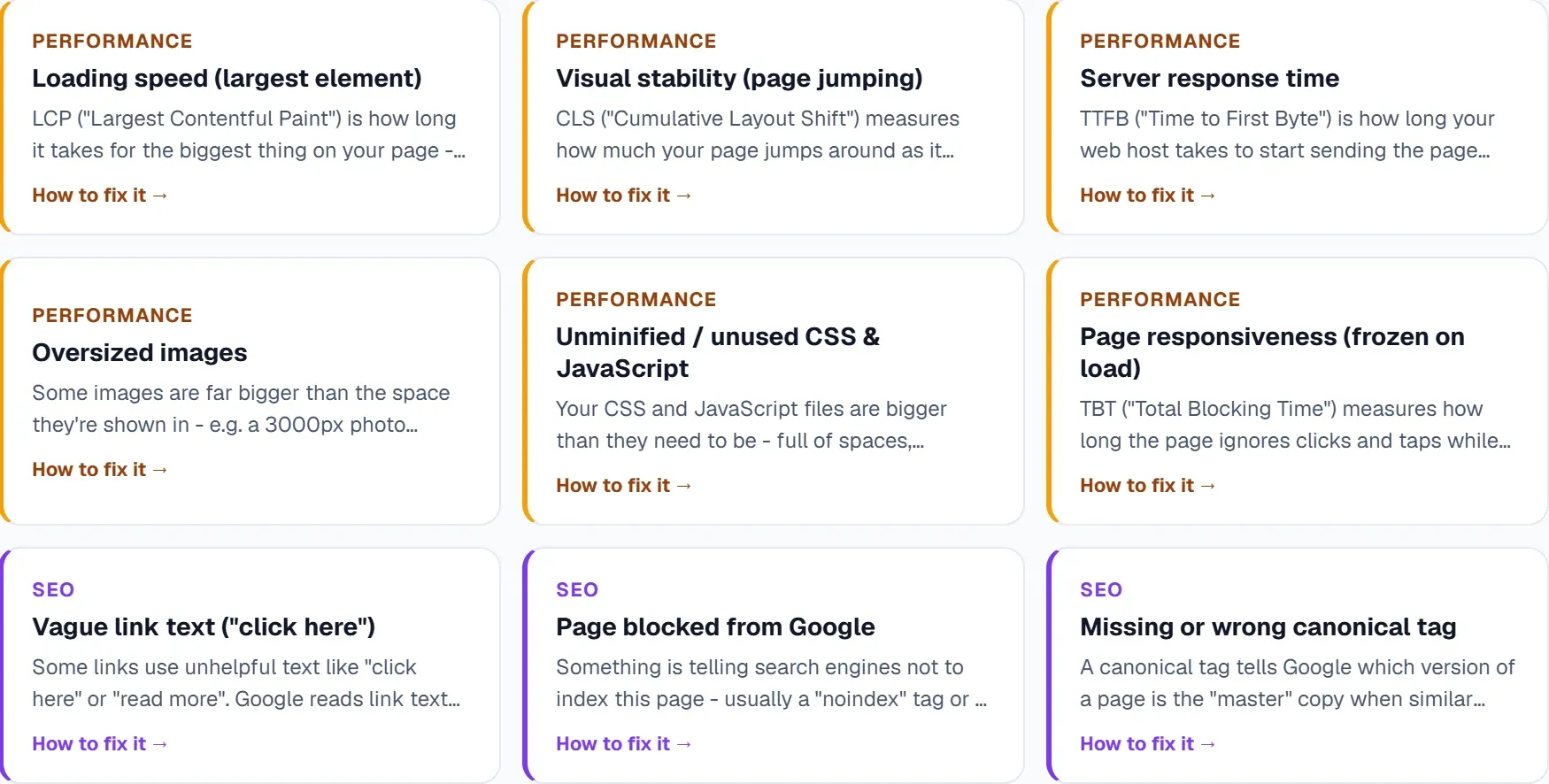
Tools like the Site Audit feature in UtilitySEO support this workflow by crawling up to 1,000 pages and rendering JavaScript using a real Chromium engine. This is crucial for modern SaaS sites built on React or Vue, which often appear empty to standard crawlers that do not execute client-side code. The platform assigns a health score and breaks down errors, warnings, and notices, allowing developers to prioritise fixes based on severity rather than volume.
 The workflow shows the four key stages an SEO audit examines to assess a site’s technical health and ranking potential.
What an SEO Audit Cannot Tell You
While an audit identifies technical barriers, it has significant blind spots. It is a diagnostic tool, not a predictive one. Understanding these limitations prevents teams from chasing the wrong metrics.
It does not predict rankings. A site can have a perfect technical health score and still rank poorly for a target keyword. Technical health is a prerequisite for ranking, not a guarantee. If the content does not match the search intent, or if the domain authority is low compared to competitors, the page will not move up the SERP. An audit will show that the page is crawlable and indexable, but it will not tell you if it is competitive enough to rank.
It does not measure demand. An audit checks the site, not the market. It cannot tell you if anyone is actually searching for the topic. A perfectly optimised page for a keyword with zero monthly searches will generate no traffic. To validate demand, you must look at search volume data and query frequency, which are separate from technical auditing.
It does not verify user intent. If a user searches for "best CRM for small business," they are looking for a list or review. If your page is a product feature description, the audit may show the page is technically sound, but it will not flag that the content type is wrong for the query. Intent mapping requires semantic analysis of the SERP, which a standard technical crawl does not provide.
It does not quantify revenue impact. An audit can tell you that a page is slow, but it cannot tell you how much revenue that slowness costs. Correlating technical fixes with conversion rates requires A/B testing and analytics data, not just a crawl report.
For teams trying to bridge this gap, it is helpful to join technical data with performance data. Integrating Keyword Tracking allows you to see if a technical fix actually correlates with a position change. If you fix a crawl error but the keyword position remains flat, the issue is likely content or authority, not technical. This distinction is vital for prioritising engineering resources.
A Worked Example: Fixing a Crawl Depth Issue
Consider a SaaS platform that recently launched a new pricing page. The page is crucial for conversion but is buried three clicks deep from the homepage, accessible only through a dropdown menu in the footer.
Step 1: Identify the Issue A scheduled crawl reveals that the pricing page has a crawl depth of 3. Industry best practice suggests key money pages should be within 1 or 2 clicks of the homepage. The audit flags this as a "Notice" because it is not a hard error, but it indicates a potential link equity dilution issue.
Step 2: Analyse the Impact Check Search Console to see if the page is indexed. It is. However, check the internal link report. The page receives only two internal links, both from low-authority blog posts. This means the page receives little link equity from the rest of the site.
Step 3: Implement the Fix The marketing team adds a prominent link to the pricing page in the main navigation bar of the homepage. This reduces the crawl depth to 1. They also update the footer to include a direct link.
Step 4: Verify the Change Run a re-crawl after the change. The crawl depth analysis now shows the page at depth 1. The internal link count increases to five.
Step 5: Monitor Outcomes Monitor the page’s position for the keyword "pricing" over the next 30 days. If the position improves, the fix worked. If not, the issue may be that the page content does not match the intent of the "pricing" query, or that the domain authority is too low to compete.
This example shows how an audit finding is not an end in itself. It is a starting point for a hypothesis that must be tested against real-world data.
How to Tell If Your Audit Is Working
Success is not measured by the number of errors fixed, but by the stability and growth of organic traffic. To evaluate the effectiveness of your audit process, look for three specific signals.
Index Coverage Stability Your index coverage should remain stable or grow as you launch new pages. If your index size is shrinking despite new content launches, you have an indexing problem. An effective audit process will catch blocking issues before they cause this shrinkage.
Core Web Vitals Distribution Monitor the percentage of pages in the "Good" range for Core Web Vitals. A successful audit process should see this percentage increase over time as developers fix performance issues. If the percentage remains stagnant, the technical debt is not being addressed.
Correlation Between Fixes and Rankings Track the average position of pages before and after a technical fix. While one data point is not sufficient, a trend over several months will show if technical improvements are contributing to ranking gains. If you fix 50 pages and see no movement in their average position, the issue is likely not technical.
To streamline this monitoring, tools like AI Insights can prioritise fix lists based on real crawl and GSC data. This ensures that the most impactful issues are addressed first, rather than spending time on low-severity notices that have no effect on rankings.
Sources
Summary
An SEO audit is a technical diagnostic that checks crawlability, indexing, on-page elements, speed, and backlinks. It identifies structural barriers to ranking but cannot predict search demand, verify user intent, or guarantee specific positions. For SaaS teams, embedding this audit into the agile development cycle allows for continuous improvement and early detection of issues. By combining technical fixes with keyword tracking and intent analysis, you can ensure that your site is not only healthy but also competitive in the search results.
Frequently asked questions
A SEO audit is a systematic review of a website’s technical health, on-page elements, and content structure to identify ranking issues.
- Checks crawlability, indexing, and site architecture
- Evaluates page speed and mobile responsiveness
- Highlights broken links and duplicate content
A SEO audit is a step-by-step checklist that helps you spot technical and on‑page problems before they hurt traffic.
- Use a crawler like Screaming Frog to find errors
- Verify title tags, meta descriptions, and header hierarchy
- Test page load speed with Google PageSpeed Insights
A SEO audit is limited to technical diagnostics and cannot predict keyword demand or user intent gaps.
- It won’t reveal missing search volume data
- It cannot assess competitor content strategies
- It doesn’t guarantee traffic increases after fixes
A SEO audit is easily integrated into CI/CD pipelines to catch regressions before they reach users.
- Schedule nightly crawls after each deployment
- Generate health scores and create sprint tickets automatically
- Monitor fixes until pages re‑index and rankings stabilize
A SEO audit is focused on technical health, so it may miss market‑driven factors causing traffic loss.
- Check for seasonal search demand changes
- Review recent algorithm updates affecting relevance
- Analyse competitor content improvements
Know what to fix next.
Scan your site for a clearer place to start.
About 30 seconds. No card needed.