

SEO
Google Search Console Alternatives: What Every SEO Should Know
Move beyond Google Search Console's limitations with our guide to top alternatives, offering richer data, competitor insights, and integrated analytics for a...
Google Search Console is an indispensable tool for understanding your website's performance in Google Search. It offers crucial insights into indexing status, search queries, and technical issues. However, even with its strengths, Google Search Console has inherent limitations, particularly for those needing deeper analysis, competitor intelligence, or a multi engine perspective. This post will explore why many SEO professionals seek google search console alternatives, delve into their benefits, and provide a decision framework to help you choose the right tools to complement or extend your GSC data, ensuring a truly comprehensive SEO strategy.
Understanding Google Search Console's Strengths and Limitations
Google Search Console provides foundational data directly from Google, making it invaluable for any SEO professional. It offers an authentic view of how Google sees your site, highlighting critical issues like crawl errors, mobile usability problems, and core web vitals. You can access performance reports detailing clicks, impressions, and average position for specific queries, and even submit sitemaps or request URL inspections. For many, it is the first port of call for understanding organic visibility.
However, GSC also presents significant limitations. Its data export is often capped at 1,000 rows, making extensive analysis of large datasets challenging. The platform primarily focuses on Google search, offering no insights into other search engines or competitor performance. Historical data is limited, typically to 16 months, which can hinder long term trend analysis. Furthermore, GSC lacks direct integration with other marketing channels and does not provide a holistic view of user behaviour beyond the initial click, such as detailed conversion paths or a comprehensive landing page report.
Why Look Beyond Google Search Console? Addressing Key Pain Points
The decision to explore google search console alternatives often stems from specific pain points that GSC alone cannot resolve. Understanding these challenges helps in identifying the right complementary tools or replacements.
One major hurdle is data limitations and granularity. While GSC offers valuable gsc data, its export caps and lack of advanced filtering mean deeper, custom analysis often requires exporting data and manipulating it elsewhere. This can be time consuming and restrict the ability to identify nuanced trends or specific page performance issues efficiently.
Another critical gap is competitor intelligence. GSC provides no information about what your competitors are doing, their keyword rankings, or their organic traffic strategies. To truly compete, SEO professionals need tools that offer insights into competitor domains, allowing them to benchmark performance and identify new opportunities.
A holistic performance view is also difficult to achieve with GSC alone. While it focuses on Google search, a complete SEO picture requires integrating data from other search engines, web analytics platforms like GA4 for SEO, and even paid advertising campaigns. This integrated approach offers a clearer understanding of user journeys and overall digital marketing effectiveness.
Finally, while GSC flags technical issues, it does not offer the deep technical SEO auditing capabilities of specialised tools. These tools can crawl entire sites, identify a broader range of technical problems, and often provide actionable recommendations for fixing them.
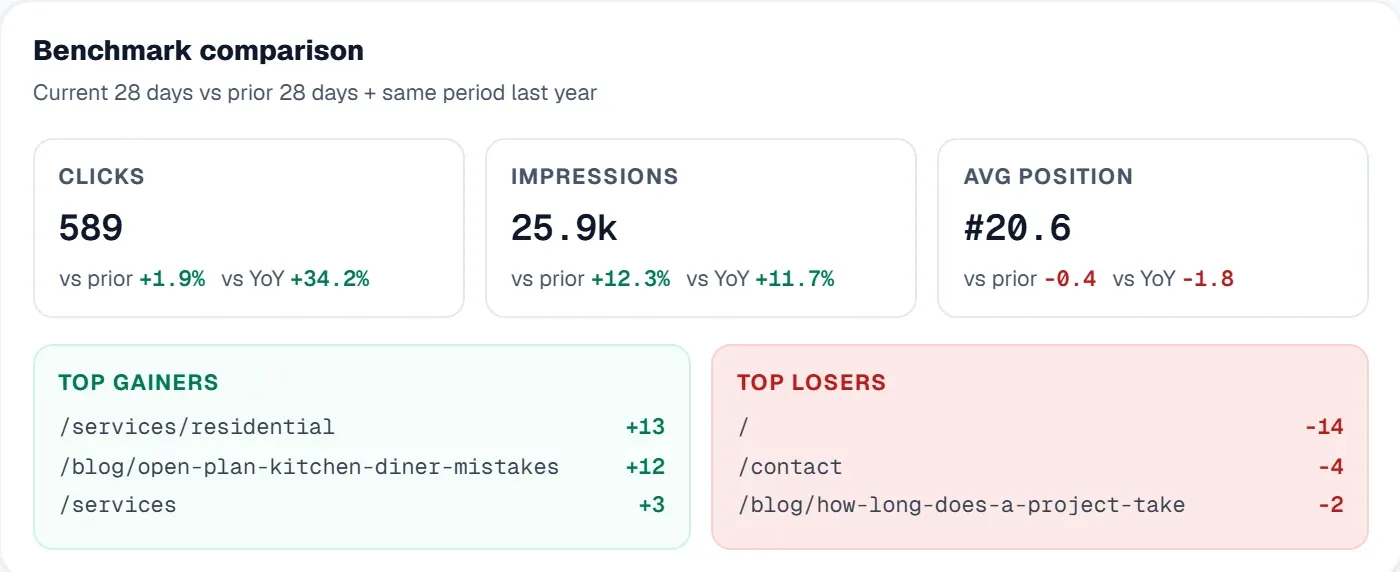
Choosing the Right Google Search Console Alternative: A Decision Framework
Selecting the ideal google search console alternatives requires a clear understanding of your specific needs, budget, and technical capabilities. This decision framework helps navigate the options, whether you seek to complement GSC or require a more comprehensive solution.
1. Identify Your Primary Pain Point:
* Data Limits & Granularity: If you need more detailed gsc data, deeper filtering, and extensive historical records.
* Competitor Research: If understanding competitor strategies, keywords, and traffic is paramount.
* Holistic Visualisation & Integration: If you require a unified dashboard integrating various data sources (GA4 for SEO, Ads, other search engines).
* Technical SEO Auditing: If detailed site crawls, issue categorisation, and actionable fixes are your priority.
* Multi Site Management: For agencies or businesses managing numerous websites, centralising data and workflows is key.
2. Consider Your Budget Tier:
* Free/Low Cost: Bing Webmaster Tools offers similar functionality to GSC for Bing. Looker Studio (formerly Google Data Studio) can extend GSC data visualisation for free, but requires setup.
* Mid Tier (e.g. £50 £200/month): These tools often provide a blend of keyword tracking, site auditing, and some competitor analysis. They are suitable for small to medium businesses or dedicated SEO teams. The cost benefit analysis here often weighs the time saved and deeper insights gained against the subscription fee.
* Premium/Enterprise (e.g. £200+/month): Comprehensive platforms offering extensive features including advanced competitor analysis, large scale site audits, sophisticated reporting, and multi user capabilities. These are typically for larger enterprises or agencies with significant SEO investments and a need for robust, multi site management.
3. Assess Your Technical Skill Level and Time Investment:
* Beginner: Look for user friendly interfaces, clear explanations, and automated insights. The time investment to learn these tools is generally lower.
* Intermediate: You might appreciate more customisation options and deeper dives into data. These tools may require some initial setup and a moderate learning curve.
* Advanced: You may need API access, custom reporting, and complex data manipulation. These solutions often demand significant time investment to master but offer unparalleled control.
Implementation Roadmap & Considerations:
* Complementary vs. Replacement: Decide if you are seeking tools to work alongside GSC or to replace its core functions. Many tools integrate with GSC, pulling in your existing gsc data to enhance it rather than duplicate it.
* Integration Complexity: Evaluate how easily new tools integrate with your existing tech stack, including your GA4 for SEO setup. Seamless integration reduces manual effort and data discrepancies.
* Data Accuracy: While GSC provides first party data, other tools rely on various data sources. Understand the methodologies to ensure the data aligns with your expectations.
* Emerging Challenges: Consider how tools address evolving SEO challenges like AI Overviews or Generative Experience. Some advanced platforms offer features like brand tracking to monitor AI visibility.
By following this framework, you can make an informed decision that aligns with your strategic goals, budget, and operational capabilities, ensuring you gain the most value from your SEO efforts beyond just google search console.
Elevating Your SEO with UtilitySEO's Integrated Approach
For businesses seeking a comprehensive solution that extends beyond the limitations of Google Search Console, UtilitySEO offers an integrated platform designed to streamline your SEO workflow and provide actionable insights. We bridge many of the gaps identified in GSC, offering a unified view of your search performance, competitor landscape, and technical health.
Our platform directly enhances your gsc data by offering advanced Keyword tracking. You can monitor GSC powered rankings, impressions, and clicks, with the added benefit of keyword grouping, inline renaming, and the ability to move keywords between groups. This granular control allows for more effective campaign management. We also provide a device and country breakdown per keyword, offering deeper insights into audience behaviour.
The Pages tab in UtilitySEO directly pulls GSC page performance, allowing for inline URL inspection, checking index status, mobile usability, and detecting canonical mismatches. This provides a more detailed landing page report than GSC alone, helping you pinpoint specific page level issues and opportunities.
For a holistic performance view, UtilitySEO integrates GA4 analytics, showing organic traffic, sessions, conversions, and top pages. This empowers you to connect search performance with user behaviour and business outcomes, moving beyond just clicks and impressions. Our platform also offers a real time panel with GA4 active users, polling every 30 seconds. To further enhance your strategy, explore our Google Analytics 4 Vs Search Console: A Practical Walkthrough for a deeper understanding of these integrations.
Technical SEO is paramount, and UtilitySEO's Site audit feature provides a thorough technical SEO audit with issue categorisation, helping you identify and prioritise fixes. Our AI powered AI Insights deliver automated SEO recommendations, while the AI Content Quality Scoring helps you assess pages against best practices.
Addressing the competitor intelligence gap, UtilitySEO provides robust Competitor tracking. You can add and monitor competitor domains, analyse their visibility with a dedicated chart, and gain insights into their strategies. Our Brand tracking feature offers AI visibility monitoring across platforms like ChatGPT, Gemini, and Perplexity, giving you an edge in the evolving search landscape. By consolidating these features, UtilitySEO provides a powerful alternative to relying solely on google search console, offering a more complete and actionable SEO toolkit.
Conclusion
While Google Search Console remains a fundamental tool for any SEO professional, its limitations necessitate exploring google search console alternatives for a truly comprehensive strategy. By understanding your specific pain points, budget, and technical capabilities, you can select tools that either complement GSC's strengths or provide a more robust, all in one solution. Platforms like UtilitySEO offer an integrated approach, enhancing your gsc data with advanced keyword tracking, detailed page performance, GA4 analytics integration, comprehensive site auditing, and crucial competitor insights. Embrace a multi tool strategy to gain deeper insights, identify new opportunities, and ultimately drive greater organic success. Discover how UtilitySEO can transform your SEO workflow and deliver unparalleled results by exploring our Pricing and Workflow today.
Frequently asked questions
Google Search Console has inherent limitations, including data export caps, a lack of competitor insights, and restricted historical data, making `google search console alternatives` valuable for deeper analysis.
- Data exports are often limited to 1,000 rows.
- It offers no insights into competitor performance.
- Historical data is capped at 16 months.
- Lacks integration with other marketing channels.
SEO professionals often seek `google search console alternatives` to overcome GSC's data granularity issues, gain competitor intelligence, and achieve a more holistic performance view.
- GSC's export caps limit deep, custom data analysis.
- It provides no information on competitor strategies or rankings.
- A holistic view requires data from other search engines.
- Specialized tools offer advanced technical SEO auditing.
`Google search console alternatives` provide richer data, including competitor insights, multi-engine performance, and deeper technical auditing capabilities beyond GSC's scope.
- Access extensive competitor keyword rankings.
- View organic traffic from other search engines.
- Analyze historical data beyond 16 months.
- Integrate with other analytics for a full user journey.
Yes, `google search console alternatives` are specifically designed to provide crucial competitor intelligence, showing what rival domains are doing in terms of keywords and traffic.
- Benchmark your performance against competitors.
- Identify keywords your rivals rank for.
- Uncover competitor organic traffic strategies.
- Discover new market opportunities.
Yes, many `google search console alternatives` provide extended historical data, often going back several years, which is crucial for comprehensive long-term trend analysis.
- Overcome GSC's 16-month data limitation.
- Analyze seasonal trends over multiple years.
- Track SEO strategy impact over extended periods.
- Identify long-term growth or decline patterns.
Know what to fix next.
Scan your site for a clearer place to start.
About 30 seconds. No card needed.