

SEO
Core Web Vitals Audit: Complete Guide
Learn how to audit your Core Web Vitals, fix common issues, and track the impact on your search rankings.
Your website might look great, but if it loads slowly or shifts around while users try to interact with it, you are losing visitors and rankings. A core web vitals audit helps you identify exactly where your site falls short on performance metrics that Google uses as ranking signals. This guide covers everything you need to know about auditing your site's Core Web Vitals, from understanding each metric to fixing the issues that hold your pages back. Whether you are asking why is my website not ranking or simply want to ensure your site delivers a better experience, understanding these fundamentals is essential for modern SEO success.
What Is a Core Web Vitals Audit and Why Does It Matter?
A core web vitals audit is a systematic review of three key performance metrics that Google uses to measure user experience. These metrics are Largest Contentful Paint (LCP), First Input Delay (FID) or Interaction to Next Paint (INP), and Cumulative Layout Shift (CLS).
LCP measures how quickly the main content of your page loads. Google considers anything under 2.5 seconds as good. FID and INP measure interactivity, specifically how quickly your page responds when users try to click buttons or type in forms. CLS measures visual stability, tracking how much elements move around while the page loads.
These metrics directly influence your search rankings. Since Google rolled out the Page Experience update, sites with poor Core Web Vitals often struggle to compete, even if their content is excellent. If you have been wondering why is my website not ranking, poor performance scores could be a significant factor.
Beyond rankings, these metrics affect real business outcomes. Users abandon slow pages. They get frustrated when buttons do not respond. They leave when content jumps around unexpectedly. A thorough audit helps you catch these problems before they cost you conversions.
How to Conduct a Core Web Vitals Audit
Running a proper audit requires the right tools and a methodical approach. Start by gathering data from multiple sources to get a complete picture.
Gather Field Data from Google Search Console
Field data shows how real users experience your site. In Google Search Console, navigate to the Core Web Vitals report to see which URLs pass or fail each metric. This data comes from the Chrome User Experience Report and reflects actual performance across different devices and connection speeds.
Pay attention to the mobile versus desktop split. Mobile performance typically lags behind, and since Google uses mobile first indexing, mobile scores matter most for rankings.
Run Lab Tests for Diagnostic Details
Lab tests using tools like PageSpeed Insights or Lighthouse give you specific recommendations. Unlike field data, lab tests run in controlled conditions, so they help you pinpoint exactly what needs fixing.
When you run a single URL scan, look for patterns. Large images without proper sizing cause LCP problems. JavaScript that blocks the main thread causes interactivity issues. Missing width and height attributes on images and ads cause layout shifts.
Check Related Technical Issues
A core web vitals audit should not happen in isolation. Performance problems often connect to other technical SEO issues. For example, sitemap errors can prevent search engines from efficiently crawling your fastest pages, while slow pages in your sitemap waste crawl budget on content that may never rank well.
Run a complete SEO health check alongside your vitals audit. This broader view helps you prioritise fixes that deliver the most impact.
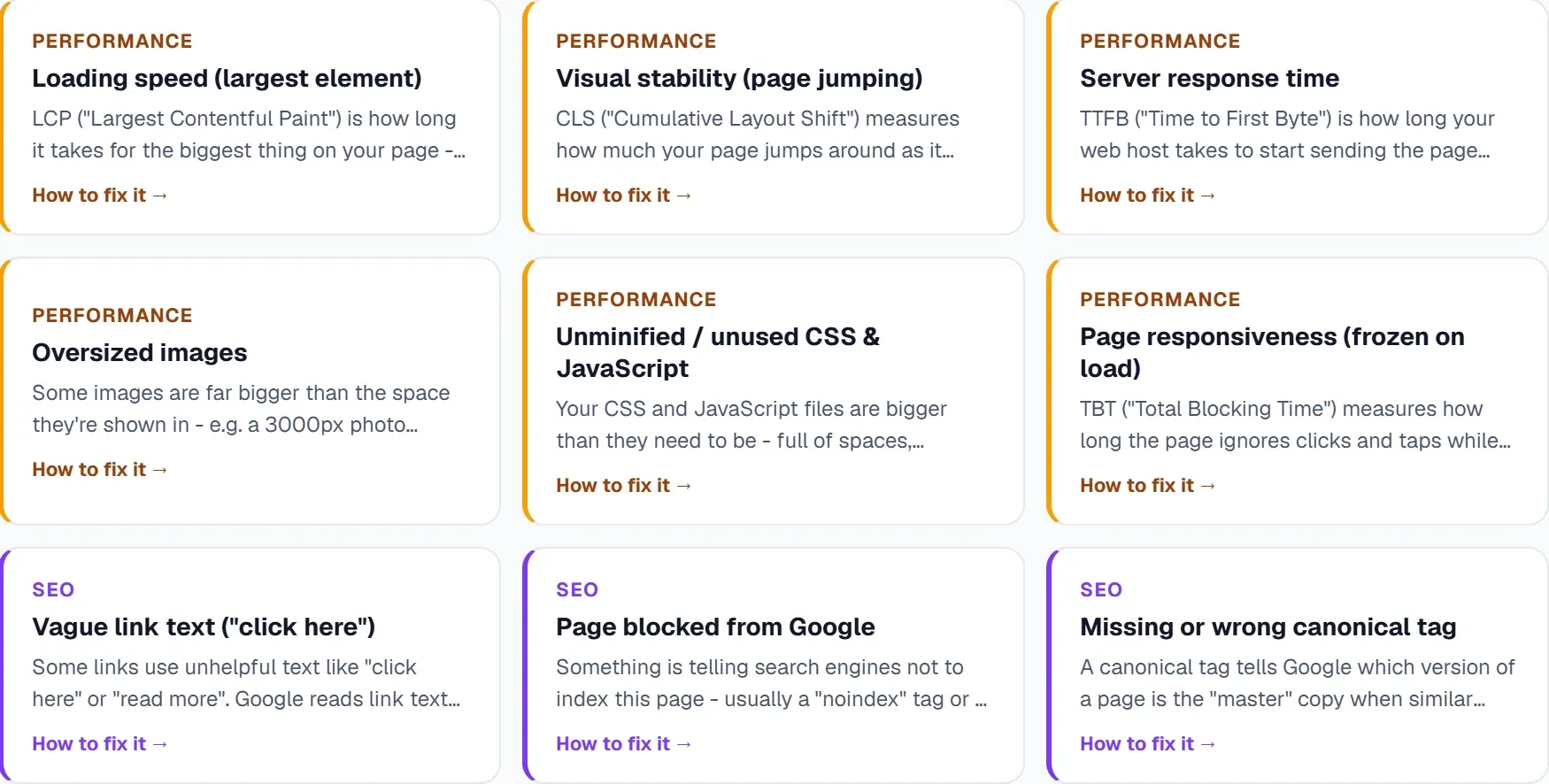
Common Core Web Vitals Problems and How to Fix Them
Understanding what causes poor scores helps you fix issues efficiently. Here are the most common culprits for each metric.
Largest Contentful Paint Issues
LCP problems typically stem from three sources: slow server response times, render blocking resources, and unoptimised images.
For server response times, consider upgrading your hosting, implementing caching, or using a content delivery network. Render blocking resources often include CSS and JavaScript files that load before the main content. Deferring non critical scripts and inlining critical CSS can dramatically improve LCP.
Images are frequently the largest element on a page. Compress them, serve modern formats like WebP, and implement lazy loading for images below the fold.
Interaction to Next Paint Issues
INP replaced FID as the interactivity metric in 2024. It measures responsiveness throughout the entire page lifecycle, not just the first interaction.
Heavy JavaScript execution is usually the culprit. Break up long tasks, remove unused code, and consider code splitting to load only what each page needs. Third party scripts like analytics, chat widgets, and advertising code often cause the worst problems.
Cumulative Layout Shift Issues
Layout shifts frustrate users more than almost any other performance issue. They happen when elements load without reserved space.
Always include width and height attributes on images and video embeds. Reserve space for ads and dynamic content. Load web fonts carefully to avoid text shifting as they swap in.
Using Google Keyword Tracking to Measure Impact
Fixing Core Web Vitals issues should lead to ranking improvements, but you need to track your progress to confirm this. Google keyword tracking helps you connect performance improvements to actual ranking changes.
Monitor your target keywords before and after making fixes. Look for patterns: do rankings improve more on pages where you made significant performance gains? This data helps you build a business case for continued investment in site speed.
Track impressions and clicks alongside position changes. Sometimes rankings stay flat, but click through rates improve because your pages now deliver a better experience signalled by good Core Web Vitals badges in search results.
How UtilitySEO Helps With Core Web Vitals Audits
UtilitySEO provides several features that streamline the audit process and help you track improvements over time.
The single URL scan feature runs a deep PageSpeed and SEO audit with dual pass averaging, giving you more reliable performance data than a single test. This helps you avoid acting on anomalous results and focuses your efforts on genuine issues.
For larger sites, the full site scan crawls up to 10,000 pages (depending on plan) via sitemap and internal links, running server side to check performance across your entire domain. The SEO results dashboard organises findings by score, issues, and fixes, with category filters and lightbulb tips that explain what each issue means and how to resolve it.
The sitemap scanner and visualiser helps you identify sitemap errors that might affect how efficiently search engines discover and crawl your optimised pages. Combined with the Pages tab featuring GSC URL inspection, index status, and mobile usability checks, you get a complete picture of how your performance improvements translate to search visibility.
Scan history saves previous audits so you can track progress over time. This proves particularly valuable when making iterative improvements and need to demonstrate that scores are moving in the right direction.
For ongoing monitoring, the issue tracking feature lets you pin problems from scan results and mark them as fixed. The progress dashboard shows milestones, streaks, and fix rate by priority, helping teams stay accountable for performance improvements.
Real World Example: Fixing a Slow E-commerce Site
Consider a mid sized e-commerce site struggling with mobile rankings. Their LCP score sat at 4.2 seconds, well above the 2.5 second threshold. CLS measured 0.35, more than three times the acceptable limit of 0.1.
After running a core web vitals audit, they identified several issues. Product images loaded at full resolution regardless of screen size. A carousel plugin loaded heavy JavaScript even on pages without carousels. Missing image dimensions caused layout shifts as products loaded.
The fixes took two weeks to implement. They added responsive images with srcset attributes, removed the carousel code from pages that did not need it, and added explicit dimensions to all product images.
Results appeared within six weeks as field data updated. LCP dropped to 2.1 seconds. CLS fell to 0.08. More importantly, the pages that improved most saw average ranking increases of four positions for their target keywords.
Conclusion
A thorough core web vitals audit reveals exactly what holds your site back from delivering the fast, stable experience that both users and search engines expect. By methodically checking each metric, fixing the underlying issues, and tracking your progress through google keyword tracking, you transform abstract performance scores into concrete ranking improvements.
If you are ready to run your own audit, UtilitySEO makes the process straightforward. The single URL scan provides deep PageSpeed analysis, while full site scans help you find issues across hundreds of pages. Start with a free SEO audit to see where your site stands, then use the progress dashboard to track improvements as you work through each fix.
Frequently asked questions
A Core Web Vitals audit is a systematic review of three crucial performance metrics Google uses to evaluate user experience and influence search rankings. This process helps identify how quickly your page loads, its responsiveness, and visual stability for visitors.
- It systematically reviews Largest Contentful Paint (LCP) for loading speed.
- It assesses First Input Delay (FID) or Interaction to Next Paint (INP) for interactivity.
- It analyzes Cumulative Layout Shift (CLS) to measure visual stability.
A Core Web Vitals audit is crucial for search rankings because Google directly uses these performance metrics as significant signals in its Page Experience algorithm. Improving these vitals can help your site compete better, even with excellent content, by enhancing user experience.
- Poor scores can prevent your site from ranking well.
- Google's Page Experience update prioritizes sites with good performance.
- Better user experience leads to lower bounce rates and higher engagement.
To check your website's Core Web Vitals performance, gather field data from real users and run lab tests for diagnostic details. This comprehensive approach provides a complete picture of your site's speed, interactivity, and visual stability.
- Use Google Search Console for real-world field data.
- Utilize PageSpeed Insights or Lighthouse for detailed lab tests.
- Focus on mobile performance, as Google uses mobile-first indexing.
A Core Web Vitals audit specifically analyzes three key performance metrics: Largest Contentful Paint (LCP), First Input Delay (FID) or Interaction to Next Paint (INP), and Cumulative Layout Shift (CLS). These metrics collectively gauge the overall user experience on your web pages.
- LCP measures how fast the largest content element becomes visible.
- FID/INP assesses the responsiveness of your page to user input.
- CLS tracks unexpected visual shifts during page loading.
Yes, a Core Web Vitals audit significantly improves your website's user experience by identifying and fixing issues that frustrate visitors, like slow loading or content shifts. Addressing these problems leads to a smoother, more enjoyable browsing experience.
- Users abandon slow-loading pages quickly.
- Responsive pages prevent frustration when interacting.
- Stable layouts avoid unexpected content movement.
- Improved experience can boost conversions and engagement.
Know what to fix next.
Scan your site for a clearer place to start.
About 30 seconds. No card needed.