

SEO
How to Make Sure All Your Images Are Correctly Tagged and Sized
Learn how to tag and size images correctly during your SEO audit to boost page speed and rankings.
Images play a crucial role in user experience and search engine optimisation, yet they remain one of the most overlooked elements during a typical SEO audit. Poorly optimised images can slow down your site, harm your core web vitals audit scores, and cause search engines to miss valuable indexing opportunities. This guide covers everything you need to know about properly tagging and sizing images to improve Google rankings and boost your overall site performance. Whether you are running a small blog or managing a large ecommerce platform, getting your images right is essential for SEO success.
Why Image Optimisation Matters for Your SEO Audit
When conducting a website audit, images often surface as a significant source of technical issues. Large, uncompressed images slow down page load times, directly affecting your core web vitals audit results. Missing alt text means search engines cannot understand your visual content, reducing your visibility in image search results.
Search engines rely heavily on context to understand images. Without proper alt attributes, descriptive file names, and appropriate sizing, you are essentially hiding valuable content from Google. This can negatively impact your SEO score checker results and limit your ability to improve Google rankings.
Consider this: pages with optimised images typically load faster, retain users longer, and rank better. A comprehensive SEO audit should always include a thorough review of image health across your entire site.
The Connection Between Images and Core Web Vitals
Core Web Vitals measure real user experience, and images directly influence two key metrics:
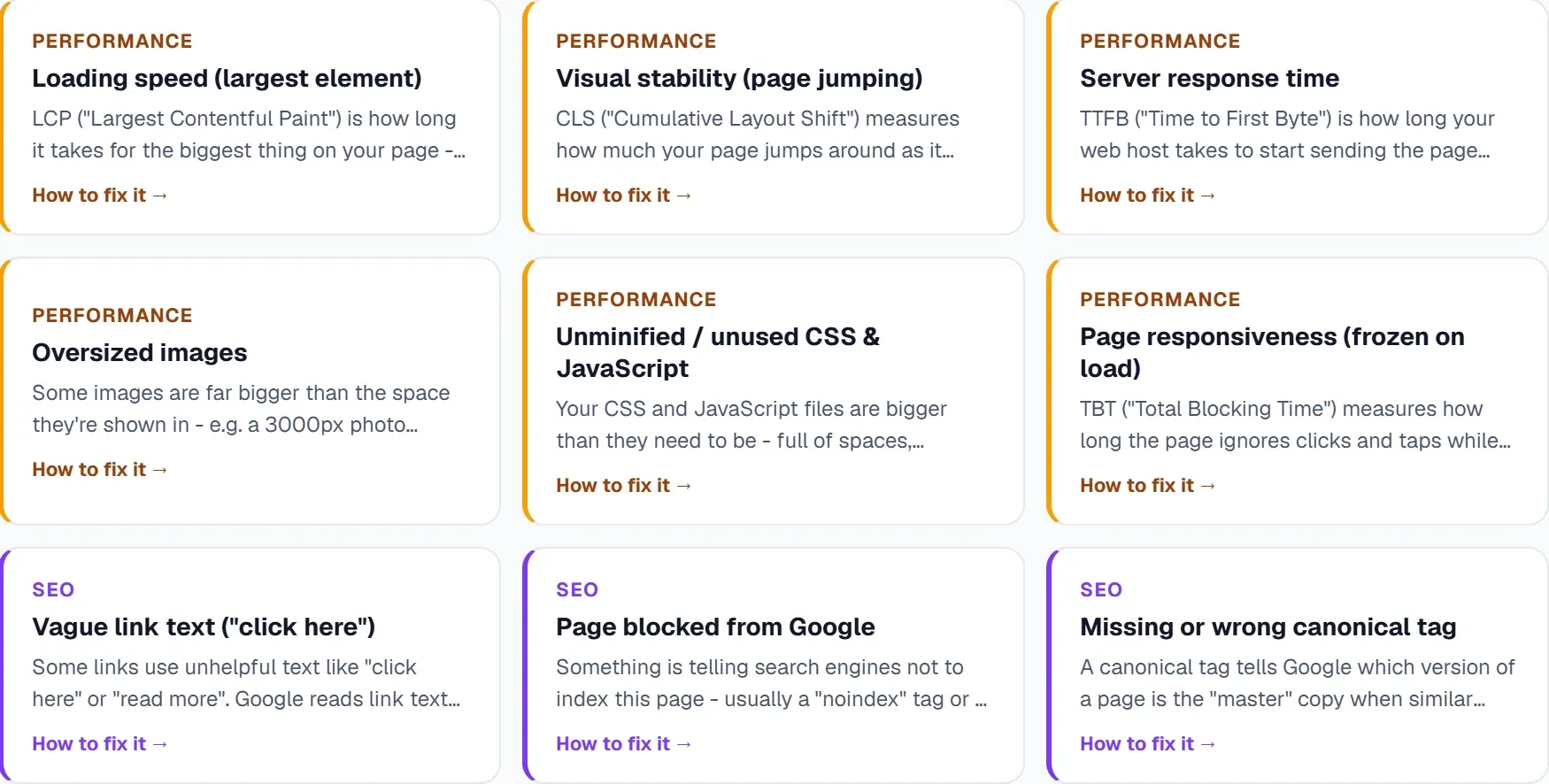
Largest Contentful Paint (LCP): This measures how long it takes for the largest visible element to load. Often, that element is an image. Oversized or uncompressed images can push LCP well beyond the recommended 2.5 seconds.
Cumulative Layout Shift (CLS): Images without defined dimensions cause layout shifts as they load, frustrating users and hurting your scores. Always specify width and height attributes to reserve space on the page.
For a deeper dive into performance metrics, check out Core Web Vitals Audit: A Practical Guide to Faster, Stronger SEO.
Essential Image Tagging Best Practices
Proper image tagging goes beyond simply adding alt text. It involves creating a complete picture for both users and search engines.
Writing Effective Alt Text
Alt text serves multiple purposes: it helps visually impaired users understand image content, displays when images fail to load, and provides search engines with context. Here is how to write effective alt text:
Be descriptive and specific: Instead of "image of shoes," write "red leather running shoes with white soles on grass."
Include keywords naturally: If relevant, incorporate your target keywords, but never force them. Alt text should describe the image accurately first.
Keep it concise: Aim for 125 characters or fewer. Screen readers may cut off longer descriptions.
Avoid redundancy: Skip phrases like "image of" or "picture showing" as screen readers already announce the content as an image.
File Names and Structured Data
Before uploading images, rename files descriptively. Change "IMG_4532.jpg" to "blue-cotton-summer-dress-front-view.jpg." This simple step provides additional context for search engines.
For product images, recipes, or articles, consider adding structured data markup. Schema helps search engines understand image context and can improve your visibility in rich results.
How to Properly Size Images for Web Performance
Image sizing affects both visual quality and page speed. Getting the balance right requires understanding a few key principles.
Choosing the Right Dimensions
Display images at their intended size. If your content area is 800 pixels wide, do not upload a 3000 pixel image and rely on CSS to scale it down. The browser still downloads the full file, wasting bandwidth and slowing load times.
Responsive images: Use the srcset attribute to serve different image sizes based on device screen width. This ensures mobile users download smaller files while desktop users see high quality versions.
Common sizing guidelines:
- Blog featured images: 1200 x 630 pixels (optimal for social sharing)
- Inline content images: match your content column width
- Thumbnails: 150 x 150 pixels or as required by your theme
- Hero images: 1920 x 1080 pixels for full width displays
Compression and Format Selection
Compression reduces file size without significantly impacting visual quality. Tools like TinyPNG, ImageOptim, or built in CMS features can compress images before upload.
Modern formats: WebP and AVIF offer superior compression compared to JPEG and PNG. Most browsers now support these formats, and you can use picture elements with fallbacks for older browsers.
Recommended file sizes:
- Hero images: under 200KB
- Content images: under 100KB
- Thumbnails: under 30KB
Running a website audit regularly helps you catch oversized images before they impact performance. If your pages are loading slowly, images are often the culprit.
Running an SEO Audit to Find Image Issues
Manual image checks become impractical once your site grows beyond a handful of pages. Automated tools can scan your entire site, flagging missing alt text, oversized images, and broken image links.
What to Look for During an Image Audit
A thorough SEO audit should identify these common image issues:
Missing alt attributes: Pages with images lacking alt text miss ranking opportunities and fail accessibility standards.
Oversized images: Files larger than necessary slow down pages and hurt Core Web Vitals scores.
Broken image links: Images returning 404 errors create poor user experiences and waste crawl budget.
Incorrect formats: Using PNG for photographs instead of JPEG or WebP increases file sizes unnecessarily.
Missing dimensions: Images without width and height attributes cause layout shifts during loading.
After identifying issues, use an SEO score checker to measure improvements over time. Track how fixes impact your overall site health and whether they help improve Google rankings.
Monitoring Progress and Checking Results
Once you have optimised your images, monitoring ensures your efforts pay off. Use SEO keyword monitoring to track whether improved page speed affects your rankings for target terms. Check keyword position before and after making changes to measure impact.
For ongoing optimisation, establish a routine audit schedule. New content often introduces fresh image issues, so regular checks prevent problems from accumulating.
How UtilitySEO Helps with Image Optimisation
UtilitySEO provides several features that streamline image auditing and fixing. The platform's site audit functionality crawls up to 10,000 pages (depending on plan), identifying missing alt text and other image related issues automatically.
AI Alt Text Generator
One standout feature is the AI alt text generator. When your audit reveals pages with missing alt attributes, UtilitySEO offers suggest buttons on affected pages. The AI generates descriptive, contextually appropriate alt text that you can review and apply with minimal effort.
This saves considerable time compared to manually writing alt text for dozens or hundreds of images. The generated text follows best practices, describing image content accurately while maintaining natural language.
Issue Tracking and Progress Dashboard
After identifying image problems through a scan, you can pin specific issues for tracking. The progress dashboard shows milestones, fix rates by priority, and helps you maintain momentum on improvements.
The scan history feature saves previous audits, allowing you to reload and compare results. This makes it simple to verify that image optimisations stick and that new issues do not appear.
For broader technical SEO checks, Website SEO Audit: How to Identify and Fix Technical SEO Problems offers additional guidance on using audit tools effectively.
Connecting Image Performance to Rankings
UtilitySEO's keyword tracking, powered by Google Search Console data, helps you correlate image optimisation work with ranking changes. Monitor impressions, clicks, and positions for key terms to see whether faster loading pages gain traction.
The Trends tab displays search performance over time, from three days to two years. This longer view helps you understand the cumulative impact of ongoing optimisation efforts.
Creating an Ongoing Image Optimisation Workflow
One off audits help, but sustainable results require ongoing attention. Building image optimisation into your content workflow prevents issues from accumulating.
Before Publishing Content
Establish pre publish checks:
- Compress all images before upload
- Use descriptive file names
- Size images for their display dimensions
- Write alt text during content creation
- Specify width and height in markup
Regular Audit Schedule
Run a full site audit monthly to catch issues on existing pages. Content updates, theme changes, and plugin modifications can introduce new problems. Regular scanning with an SEO score checker keeps your image health consistent.
For guidance on establishing effective monitoring routines, read How to Track Google Rankings: A Practical Guide for SEO Monitoring.
Using Automation Wisely
Automated tools handle repetitive tasks efficiently, but human review ensures quality. Use AI suggestions as starting points, then refine alt text to match your brand voice and content context.
UtilitySEO's Workflow page explains how to integrate audit tools into your regular SEO routine.
Conclusion: Take Control of Your Image SEO
Properly tagged and sized images improve user experience, boost Core Web Vitals scores, and support higher search rankings. A thorough SEO audit reveals where your images fall short, while consistent monitoring ensures lasting improvements.
Start by running a comprehensive website audit to identify current issues. Address missing alt text, compress oversized files, and specify dimensions to prevent layout shifts. Use tools like UtilitySEO's AI alt text generator and site audit features to streamline the process and track your progress over time.
Whether you are working to improve Google rankings for competitive keywords or simply ensuring your site provides the best possible user experience, image optimisation deserves attention. Begin your image audit today with Start Your SEO Journey Today with a Free SEO Audit and see how quickly results follow.
Frequently asked questions
Optimising images is vital for SEO, improving page load times, user experience, and search engine understanding by correctly tagging and sizing images.
- Large images slow your site, negatively impacting Core Web Vitals scores.
- Missing alt text prevents search engines from indexing your visual content effectively.
- Properly optimised images lead to faster loading, better user retention, and improved rankings.
Images significantly impact Core Web Vitals by influencing LCP and CLS, making correct tagging and sizing images vital for strong performance scores.
- Oversized images increase LCP, slowing down the loading of the largest content element.
- Images without defined dimensions cause CLS, creating frustrating layout shifts for users.
- Specifying width and height attributes reserves space, preventing unexpected layout changes.
Effective alt text should be descriptive and specific, providing crucial context for users and search engines when tagging and sizing images.
- Alt text aids visually impaired users by describing the image content.
- It displays when an image fails to load, maintaining content integrity.
- Search engines use alt text to understand and index your visual content better.
Incorrect image sizing harms Google rankings by slowing page load times and negatively impacting user experience, despite correct tagging and sizing images.
- Large, uncompressed images increase page load times, a key ranking factor.
- Undefined image dimensions contribute to Cumulative Layout Shift, hurting user experience.
- Faster loading pages with stable layouts are favored by Google's algorithms.
Know what to fix next.
Scan your site for a clearer place to start.
About 30 seconds. No card needed.